── island ──

The island

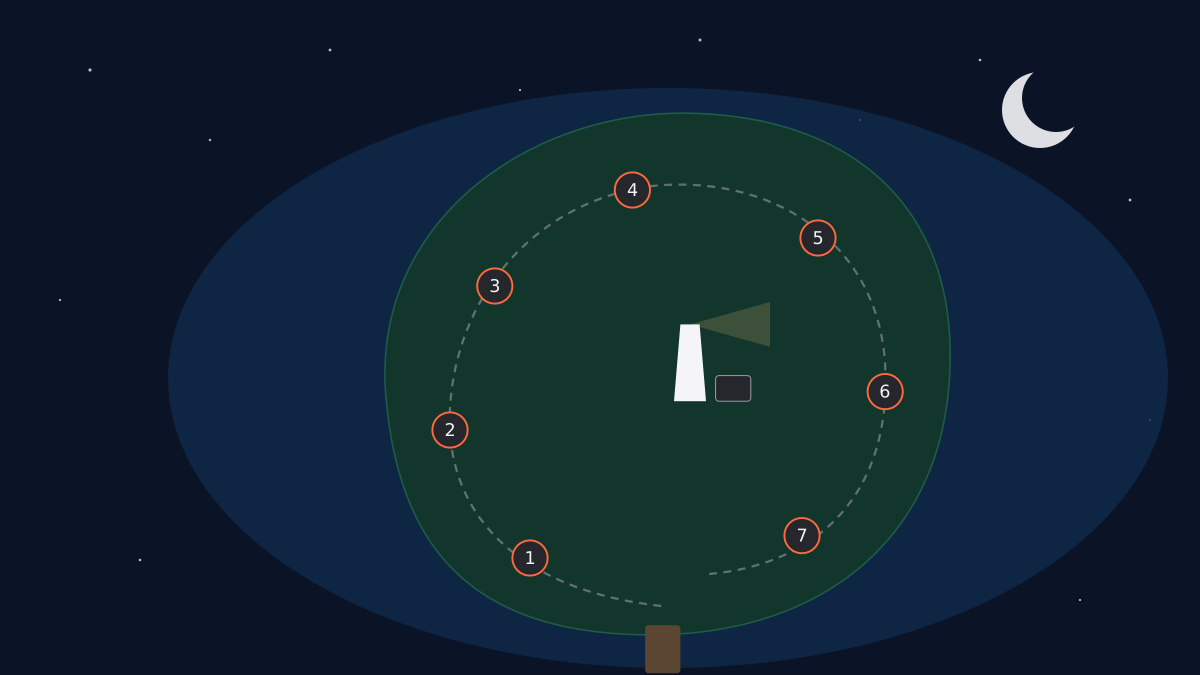
Seven of the main site's projects, laid out as an island. Open a landmark to read its case study. Light all seven lanterns and the lighthouse switches on.

Illustrated map of the island: a dock on the south shore, a path looping past seven numbered landmarks, and a lighthouse on the central hill.

On a touchscreen: tap the ground to drive, drag to look around. Best on a computer.

0 / 7 discovered

Quest log

Contact

── answer kiosk · case 01 ──

Meridian Data Assistant

An AI assistant that answers finance and project questions from a company database, where the database, not the AI, decides what each person can see.

0 of 7 lanterns lit

Stack: Azure Container Apps · Azure SQL · Row-level security · Managed identity · Azure Table Storage · Log Analytics · Python · FastAPI · OpenRouter · gpt-oss-120b · React · TypeScript · Tailwind · GitHub Actions · pytest · Vitest

Under the hood — for the technical folks

I built Meridian in Claude Code, on Azure. The server is Python and FastAPI in a container on Azure Container Apps, which scales to zero, so an idle day costs nothing. The company data lives in Azure SQL Database on the free serverless offer, with Microsoft Entra sign-in only and auditing on. Accounts, invite codes and each guest’s daily spend sit in Azure Table Storage, and app logs plus the SQL audit go to Log Analytics, capped inside the free tier. There are no keys in the code: the app reaches the database and storage with its managed identity. GitHub Actions builds a private container image, and a deploy script moves the site to one exact build.

The permissions live in the database. Row-level security covers all 38 tables. The AI can read only 18 reporting views plus a data dictionary, and the app’s own database identity can read nothing but the reporting views. The AI never chooses whose data it reads: for every query the server opens a fresh, read-only connection and sets the employee on it. Every query has to be a single read-only SELECT, but that filter is a first check, not the limit — the database’s permissions are. An automated checker runs 1,446 permission checks, including attempts to read hidden values through deliberate database errors.

The model is gpt-oss-120b through OpenRouter, at about six seconds a question. Answer quality comes from definitions, checked examples and checks on the results, rather than a longer list of prompt rules. The AI names which of its queries answer the question; each result is checked for the known traps (no rows, a contract mixed with the orders under it, sums across forecast versions); and any dollar figure that no result actually holds goes back to the AI once. The test set is 101 questions tagged by kind. A full run costs about 43 cents, so I ration them. The last measured result was 93 of 95 on the earlier 95-question set, counting each question’s latest run rather than one full pass.

The chat page is React 19 and TypeScript on Vite, with Tailwind v4, shadcn/ui, Motion, TanStack Table and Query, Chart.js, and write-excel-file for the downloads. Its UI tests run on saved real answers, so they never spend AI money: 333 page tests and 68 server tests as of September 22.

Technical highlights:

  • Row-level security in Azure SQL on a synthetic company database, checked by an automated test of 1,446 checks
  • Identity set by the server, never the model, on a fresh read-only connection per query
  • Access that follows real-world roles: corporate finance sees every dollar, business-unit finance sees its own unit, HR sees pay, and some records are shown only to the people allowed to see them — if nothing is set for a person, access is blocked rather than allowed
  • Admin sign-in with GitHub through Container Apps’ built-in auth, allowlisted by GitHub user ID, because IDs never change or get reused
  • Guest sign-in with single-use invite codes that expire in seven days, scrypt-hashed passwords and signed session cookies
  • Money guardrails: a prepaid model key capped at $3 with no auto top-up, ten cents of AI per guest per day, a $5 monthly Azure budget alert, and a free database set to pause rather than bill at its monthly limit
  • A custom domain with a free managed certificate, kept out of search engines with noindex headers and robots.txt

What I wanted

Meridian started as a study repo for the AZ-900 exam, Azure’s fundamentals certificate. I decided to build one real project instead, so I could say I’ve built something on Azure and can do it again.

I wanted it to be the hard kind of AI tool: the internal kind, where people ask about money and projects and not everyone is allowed to see everything. Most of the work in a tool like that isn’t the AI. It’s identity, secrets, data and deployment, and I wanted to do those parts properly.

How I got it

Plumbing came before the AI. Identity, secrets, data and deployment all run on a student subscription, so I built those first. I put the app in a container on Azure Container Apps because it’s the same shape as the containers in my homelab, and it scales to zero when nobody is using it.

The company is fictional, because real internal data is never public. Its data comes from a seeded, repeatable script: four source systems (ERP, HR, scheduling and planning) plus some deliberately messy legacy tables, about 212,000 rows, with the finance figures tying out to the penny.

The decision that shaped everything else was where the permissions go. I could have written them into the AI’s instructions, but instructions can be argued with. So the database enforces them with row-level security, and the AI never picks who the user is: the server does, on every query. Access follows real-world roles, so corporate finance sees every dollar, a business unit’s finance team sees its own unit, and HR sees pay.

The model took some finding. My student subscription blocks Azure’s own models, GitHub Models shut down in July 2026, and Groq’s free tier took 40 to 60 seconds an answer. I settled on gpt-oss-120b through OpenRouter, which answers in about six seconds, on a prepaid key capped at $3 with no auto top-up, so nobody can run up a bill. Sign-in went the same way: my university requires admin approval for new Microsoft sign-in apps, so the admin signs in with GitHub, which needs nobody’s approval, and guests get invite codes so they can try it without a GitHub account.

I rebuilt the chat page between September 19 and 22, after picking its design direction on a Claude Design canvas: a navy “ledger” look, with Source Serif 4 for the figures and IBM Plex for the text.

On September 22 I ran a full audit. Six AI reviewers, Claude Opus and Sonnet, went through the page, its code, the backend, security and simplicity, and then two more agents tried to disprove every finding. About 100 findings came up, and one was rejected. Two were small security holes: a way to slip a second statement past the query filter, and a way to learn yes-or-no facts about hidden rows through deliberate errors, never the pay amounts. Both are fixed. Neither the audit nor the UI testing spent anything from the app’s model key.

What it does

You pick who you’re asking as — a CFO, a project manager, an engineer, an HR partner — and ask a finance or project question in plain English. The same question gets a different answer depending on that person’s access. Anything they aren’t allowed to see shows as a locked “Hidden” chip, and a “Why are these hidden?” panel says who can see it and why.

Each answer comes with a headline of the key figures, the steps the AI took with its SQL shown, a sortable table in accounting style with totals only where adding up makes sense, a strip of key figures, and a bar or line chart. You can copy the table, or download it to Excel with an “About this query” sheet that records who asked, the question, the time and the SQL.

It’s invite-only. Guests get a single-use code that expires in seven days, and each guest account gets ten cents of AI a day, about 30 questions. If you’d like to try it, email me for a code.

Why it matters to me

It’s the thing I set out to prove: that I can build an AI tool on Azure with the parts that make up most of the real work — identity, permissions, data, cost and deployment — and that I could do it again.

It also runs on very little. The model bill comes out of a $5 prepaid balance, through a key capped at $3 that had used $2.54 by September 22, testing included. Azure itself has cost $0 so far, on the student subscription’s free grants. Guests are capped at ten cents a day each, so an invite code can’t turn into a bill.

What I learned

The bugs that mattered weren’t in the AI. They were in small assumptions around it. The answer table decided whether a column should get a total by guessing from the column’s name, so it added up hourly rates, one person’s pay history, and 31 versions of the same forecast. I flipped the rule: only columns known to add up get a total, never across forecast versions and never across a contract and the orders under it, with a test for every case.

The other one I hit myself, on my phone: “connection dropped.” The logs showed three causes stacked on top of each other. The app had scaled to zero and took about 20 seconds to start. The database had gone back to sleep after about 15 idle minutes despite its 60-minute setting, which I found in the database’s own compute records. And the phone gave up while it waited. The fixes were to check on the database after ten quiet minutes, and to let the page pick up a finished answer after a dropped connection. Neither fix touched the model.

What I learned
This project taught me to keep the model out of access decisions entirely. The database already knows who is allowed to see what, so the AI writes the query and the database decides what comes back.
Open the case study page →
── mailbox · case 02 ──

Signal Briefing

An AI-enriched intelligence briefing pipeline that pulls from a mix of public sources, filters the noise, and renders a focused scannable report.

0 of 7 lanterns lit

Stack: Python · Claude API · SQLite (WAL) · Jinja · feedparser · requests

Under the hood — for the technical folks

I built this as a scheduled Python pipeline, working in Claude Code. A fetcher layer handles several public data sources — regulatory filings, official rulemaking documents, contract data, news feeds, and public social/community posts. Each fetcher returns a typed envelope with the same shape so the downstream stages don’t need to care where an item came from.

The deduplication layer is backed by SQLite in write-ahead-log mode with a rolling time window. Production runs share a dedup namespace so a later run never re-delivers items an earlier run already sent. Test runs use a separate namespace so the simulation harness never contaminates production state, and the whole dedup database is backed up daily with rolling retention; every backup is integrity-checked on the way out, so a corrupted file gets deleted rather than silently kept.

The enrichment layer asks a language model to write a short summary of each kept item, categorize it, and extract the “so what.” Three synthesis blocks render at the top of every run: an at-a-glance overview, a callout for items that need immediate attention, and a set of daily themes. A separate weekly mode runs on Sunday and synthesizes the past seven daily archives into a digest structured around action signals and weekly themes rather than item-by-item summaries.

Two renderers — a responsive HTML email and a standalone web view — share a common data shape so the content stays in sync across formats. A simulation harness can replay a multi-day run against recorded fixtures with golden-file regression checks, so shape changes are visible in a diff before they ship. The whole pipeline runs on a self-hosted container with a watchdog that distinguishes a late run from a quiet failure — per-source fetch errors, empty results, and degraded output each get their own alert tag. The same code runs identically on macOS and Windows, with platform-specific handling for Chrome path detection, line endings, and file encoding so dev work can move between machines without surprise.

Technical highlights:

  • A consistent typed envelope for items from every source, so downstream stages are source-agnostic
  • SQLite with WAL mode for concurrent reads during a run, with a prod| / test| key split so production state is never polluted by simulation
  • Rolling-window deduplication keyed on content-stable hashes so small text changes don’t re-deliver the same item
  • Per-run diagnostics written directly into the rendered output: token counts, fallback counts, per-source fetch stats, and a degraded-source banner
  • A template-driven enrichment layer so prompts are versioned, reviewable, and easy to diff
  • Two renderers (email and web) with a shared data shape so content stays in sync across formats
  • A simulation harness with recorded fixtures and golden-file regression, so the pipeline can be tested end-to-end without hitting any live API or burning any tokens
  • Scheduled deployment on a self-hosted container with watchdog tags that distinguish empty runs, per-source fetch errors, and degraded output — a quiet briefing never reads as “all good”
  • Daily dedup-database backups with rolling retention and integrity verification on every write — corrupted backups are auto-deleted instead of silently kept
  • A weekly digest mode that aggregates seven days of archived runs into a Sunday-only synthesis, on its own schedule and rendering
  • Cross-platform dev parity — identical output on macOS and Windows, with platform-specific handling for Chrome path detection, line endings, and file encoding so the dev environment is interchangeable

What I wanted

I wanted to test whether I could build something an executive would actually find useful. Senior leaders and managers don’t have time to sift through the daily firehose of news, regulatory updates, contract activity, and public filings — but those inputs can shape the decisions they have to make next week. The hypothesis was simple: if AI can reliably surface the handful of items that matter each day, and flag the decisions that might follow from them, that’s real leverage on someone’s time. I wanted a tool an executive could lean on, not a demo of one.

How I got it

I started from the use case, got a first version of the pipeline running, and kept refining it from there. Watching the first few runs, it became clear that the interesting work wasn’t in the language-model calls at all — those produced decent summaries from the beginning. The hard parts were the boring engineering around the model: how do we decide an item is a duplicate of something already delivered, what happens when a source is slow, how do we test a multi-day run without hitting live services. Most of the work on this project went into those reliability layers, because an executive briefing that’s sometimes wrong is worse than no briefing at all — the executive just stops trusting it.

The recent rounds have been about extending what ‘reliable’ means. The daily run now rolls up into a weekly Sunday digest that synthesizes the past seven days instead of repeating them. The watchdog graduated from ‘tell me if a run is late’ to ‘tell me which source failed, which run came back empty, which one shipped without all its parts’ — so a quiet briefing never silently means ‘you missed something.’ Backups verify themselves now, too: a corrupted backup is auto-deleted rather than quietly stored, because a backup you can’t restore from is just a file.

The simulation harness is the part I lean on most for change confidence — replay a multi-day run against recorded fixtures, diff the rendered output against a golden file, see exactly what shifted before it ships. That’s the loop that lets me change the engine without burning tokens or hitting live services. It runs on both a Mac and a Windows box now: I work on both, and the briefing has to produce identical output on either, which forced a stack of small portability fixes to surface that I would have hit later anyway.

What it does

On a schedule, the pipeline pulls from a handful of public data sources, filters and deduplicates them against everything it’s already delivered, asks a language model to summarize and categorize what’s left, and renders the result as a scannable report — readable as an email or on a web page. At the top of every run is a short synthesis block that surfaces the items most worth an executive’s time, plus a callout for anything that looks important enough to act on today. If one of the sources was slow or broken, a small banner tells you which one, so a quiet briefing never silently means “you missed something.”

Once a week, on Sunday, the same machinery rolls up the past seven daily briefings into a synthesis-only digest. The point is to catch the second-order patterns an executive notices in retrospect — a name that showed up in three different filings, a topic that got hinted at twice before it was announced — instead of just re-delivering what was already read.

Why it matters to me

This was a proof of concept for a hypothetical executive. The idea was to test whether AI could become a kind of always-on chief of staff — something that watches the firehose for you, brings back what actually matters, and is honest about what it isn’t sure of. That framing is why the whole project kept coming back to trust. An executive doesn’t have time to spot-check every summary, so the product has to earn confidence on its own: by handling its bad days visibly, by never quietly dropping a source, by telling you when something changed. That’s the shape of a tool someone would actually use, as opposed to one they’d install and abandon after a week.

What I learned

The biggest shift was realizing that in an AI product, the interesting engineering work happens everywhere except the model call. Claude can summarize text fine. That’s the free part. The hard parts — what counts as a duplicate, how to test a multi-day run without burning tokens, what to show the reader when half the sources are down — are all classic systems problems, and they’re the parts that decide whether anyone comes back tomorrow. I came into this project thinking the prompt was the product. I came out realizing it was only a small part of the system that actually matters.

What the more recent rounds of work have reinforced is that this isn’t a one-time lesson. Every new rough edge — a source that started failing silently, a backup I’d have lost without integrity verification, a renderer that needed to behave the same on Windows as on a Mac — comes back to the same shape. The model’s output keeps being the easy part.

What I learned
This project taught me that useful AI products depend a lot more on reliability and state management than on the prompt itself. The model handles the summarizing; everything around it is what makes the result trustworthy.
Open the case study page →
── arena gate · case 03 ──

AWS AI League

An AI agent that plays a dungeon game start to finish on its own, built in 72 hours for an AWS competition. It finished 4th of 50, seven points off first.

0 of 7 lanterns lit

Stack: Python · Amazon Bedrock AgentCore · AWS Lambda · CloudWatch · SageMaker · Claude Haiku 4.5 (supervisor) · Amazon Nova 2 Lite (evaluated) · Qwen3-0.6B · RLVR

Under the hood — for the technical folks

The agent ran on Amazon Bedrock AgentCore: a supervisor model orchestrating up to five sub-agents, all reaching their tools through AgentCore Gateway, with Bedrock Guardrails and AgentCore Memory attached to the supervisor. The game hands the agent a 10×10 tile map and scores a full playthrough.

score = 250 × lives_remaining          (6 lives to start)
      + coins_earned
      + (1000 − avg_output_tokens)
      + 1000 if the treasure is reached

That average divides total output by the number of challenges actually visited — fifteen on a full-coverage route, being fourteen challenges plus the navigation turn. Attaching custom fine-tuned models to sub-agents discounts the token penalty on a published curve: one model halves it, two take 70% off, five take 95%. With two attached and every other term maxed, the whole score collapses to a straight line — 11650 − 0.3 × (output_tokens / 15), or two hundredths of a point per token emitted. Verified against three separate runs, and it predicts the final top four to within half a point each.

What’s in it:

  • A pathfinding Lambda solving the route at runtime from the map the game hands over, since the evaluation map is unseen and a memorised move list would be worthless
  • An expected-value planner inside it, pricing each tile against a life worth 250 coins — which is what makes a spike trap a costed obstacle rather than a forbidden one — with a risk multiplier that rises as lives run low
  • A local simulator replaying thousands of runs offline, so parameters were measured rather than burned on live attempts
  • A compute Lambda for exact arithmetic and lookups, so deterministic work never costs a token of reasoning
  • Token accounting read from CloudWatch rather than reconstructed from the harness — OutputTokenCount in the Bedrock namespace matches the game’s own count to the token
  • A test gating every prompt against the question corpus, failing on any five-word sequence from a real question, because hardcoding answers is a disqualifying offence
  • Two custom models deployed and attached to sub-agents, then deliberately never invoked — the published curve discounts the token penalty for attaching a custom model at all, so two of them took 70% off the penalty without changing a single turn of how the agent played
  • A last-day RLVR fine-tune of Qwen3-0.6B in SageMaker — tool-call formatting, then faithful reproduction of tool output — trained to cut the rambling that was costing the tokens, and finished too late to enter a scored run

Three failures worth more than the successes. A Bedrock tool name may not exceed 64 characters, and the platform builds it as <gateway-target>___<tool-name>; over the limit the runtime force-stops the request, and while CloudWatch records exactly why, the game itself just shows an empty turn. The supervisor’s reply on a navigation turn has to be a bare array of directions — wrap it in anything and the game doesn’t fail, it just never moves the avatar and scores the run as though it stood still. And a sub-agent gets delegated to whether you want it or not: an idle one’s reply becomes the visible answer and loses the challenge outright.

A supervisor bake-off that ended twice. Nova 2 Lite ran as supervisor for most of a day and cleared the board cleanly, but it re-transmitted the map and census on every turn and lost to Haiku 4.5 on tokens alone. It was later disabled on the platform outright, which settled the question and forced the pivot for good.


What I wanted

AWS runs a competition called the AI League, and I got 72 hours in one.

The format: you build an AI agent, then send it into a dungeon and let it play alone. It’s a 10×10 maze of stone corridors — drawn like an old tile RPG, with a pixel adventurer, coins down the passages, spike traps, and a treasure chest in the far corner. Blocking the way are monsters that are really exam questions in costume — arithmetic, a web lookup, general trivia, one that tests whether you remember what happened earlier in the run, and a creeping violet that tries to bait your agent into saying something it shouldn’t. Answer wrong and you lose a life; you have six.

Fifty of us ran against the same leaderboard for three days.

I went in wanting to know where I’d land. I build with Claude Code, and I came to it from finance and accounting, not a CS degree. Everything else on this site is something I use and nobody grades. This got graded, publicly, against a field of people who work in tech, AI and ML for a living.

How I got it

The dungeon was solved by the end of the first day.

Points came from lives left, coins collected, and reaching the treasure, and none of that is subtle once you read the rules properly. The obvious move is to beeline for the chest, and it’s wrong twice over: you leave most of the coins on the floor, and the token penalty divides your output by the number of challenges you actually visited, so a short route shrinks its own denominator and makes its per-challenge score worse. Walking further pays on both terms at once. So I built a route that combs the whole board rather than crossing it.

Then the arithmetic turns brutal. A point costs fifty output tokens at the margin, so a single missed 250-coin prize is worth twelve and a half thousand tokens — and a good run spends under a thousand in total. There is no amount of brevity that buys back a prize you walked past. That pinned every serious competitor to the same floor: take everything, lose nothing, reach the chest. The entire contest happened above that line.

The rest was pricing. Every monster is worth fighting, because a monster only takes a life when you answer wrong — even the hardest one breaks even at a coin flip, and mine were doing far better than that. A spike trap is the one tile that takes a life and gives nothing back, but it isn’t forbidden either; it’s priced. A life is worth 250 coins, so crossing a spike to reach a pocket holding 500 is correct, and the planner weighed exactly that. Route solved, coins maxed, first day gone.

The actual competition was about making the agent shut up.

That fourth scoring term subtracts points for how much your agent talks, and it’s worth a full thousand — as much as the treasure itself. Once everything else is maxed it’s the only variable left, and the work stops being about the dungeon at all. It becomes a strange, grinding war on your own model’s verbosity, on three fronts, none of them what I expected going in.

The first front was the sub-agents, and the answer was not to use them. The platform lets you attach custom fine-tuned models to sub-agents and discounts the token penalty for doing it — 70% off with two attached. So I attached two, and then made sure the supervisor never spoke to either of them.

Delegating costs tokens twice — once for the tool call handing the work over, again for whatever comes back — so keeping the whole turn inside the supervisor was simply cheaper. And the discount is paid on what you have attached when you submit, not on what you actually call.

The risk is that a sub-agent gets delegated to whether you want it or not, and an idle one’s reply becomes the visible answer and loses the challenge — 2,150 coins and three lives in one round before I understood it. So the configuration I finished with was faintly absurd and entirely correct: two models attached so the platform would count them, and a standing prohibition in the supervisor prompt so it would never say a word to either.

The second front was prompt surgery. Not prompting for better answers — prompting for shorter ones. Cutting the model’s visible reasoning. Stopping it narrating its tool calls. Getting it to echo a question back in four words instead of thirty. Each of those is worth a fraction of a point, and at fifty tokens to the point, the fractions were the whole margin.

The third was fine-tuning a small model of my own to be terse by construction rather than by instruction — going at the penalty at its source instead of trimming around its edges. That was the right answer, and I got to it on the last day.

What it does

It plays the game by itself, start to finish, and it plays cheaply.

Handed a map it has never seen, it asks a Lambda for a route that already accounts for which monsters are worth stopping for, what a spike costs against what’s behind it, and how much risk it can afford at its current number of lives. Then it walks it, answers each challenge — handing anything arithmetic or lookup to a second Lambda so that work never costs a token of reasoning — and replies in as few tokens as the game will accept. It finishes clean rounds: every coin on the board, most of its lives, the treasure reached, on under a thousand tokens of output for the whole run.

Why it matters to me

I came 4th out of 50, and the margin is the point.

First place scored 11,637. I scored 11,630 — seven points, six hundredths of one percent. All four of us had six lives, every coin and the treasure. The only thing separating first from fourth was how much our agents talked. Mine used 977 output tokens. The winner’s used 653. Put each top finisher’s token count back through the formula and it predicts all four of our scores to within half a point.

I’m not going to dress that up as a win. The people who beat me beat me on exactly the thing I’d identified as decisive, which is the least comfortable way to lose.

It’s still the result I’m proudest of on this site. I went into a timed technical competition against people with real engineering, AI and ML backgrounds and finished a rounding error behind the top, with every line of it written in Claude Code under my direction. What got me there was reading the rules closely enough to see that verbosity was the whole game, working out that a missed prize can never be paid back in tokens, and being willing to test an opaque rule instead of assuming it. None of that is typing. All of it is the job.

The real test of building this way is whether you can tell if what comes back is any good. This was a public, scored test of exactly that, and I’ll take the result.

What I learned

I submitted 115 times. The three people ahead of me submitted 15, 18 and 17.

That’s the sentence I keep coming back to. I’d correctly worked out that the game was a tax on verbosity, and then I tried to close the gap with volume — running the board over and over, hoping for a good roll, because the leaderboard keeps only your best score and a bad run costs nothing. They closed the same gap by making their agents quieter, and went home.

The lever I needed was the one I reached last. A small model fine-tuned to answer and call tools without the long rambling reasoning would have gone at the 977 directly, and it was available from the first hour. I spent the final hours of the competition training it while the clock ran out, and it never made it into a submitted run.

So the lesson isn’t really about time. It’s that being right about the mechanism is not the same as acting on it — I identified the largest term in the score early, then spent two days attacking it with the wrong tools. Next time the first question is which single term dominates, and the first thing built is whatever goes at that, before anything else gets touched.
What I learned
The dungeon was the easy part — I had the coins solved on day one. The rest of the competition was spent trying to make an AI say less, which turns out to be a much harder problem than making it say the right thing.
Open the case study page →
── server shed · case 04 ──

Homelab

A small server on my home network where I host the things I use every day — dashboard, briefing, monitoring — with a deploy loop that pushes updates from my PC.

0 of 7 lanterns lit

Stack: Proxmox · LXC · Caddy · Authelia · Tailscale · NFS · Proxmox Backup Server · Flask · HTMX · systemd · Uptime Kuma · ntfy · SQLite · SSH key-based deploy · Windows Task Scheduler · Jellyfin

Under the hood — for the technical folks

The homelab runs on two small servers, both on Proxmox, standalone (not clustered). The primary node carries the user-facing stack — dashboard, briefing, smart-home glue, media server — each in its own unprivileged LXC container, one per concern. The dashboard runs as a Flask + HTMX app behind a systemd service, fronted by Caddy for HTTPS termination. Authelia handles single sign-on for the services that need it (forward-auth for browser sessions, OIDC for the home automation hub). Uptime Kuma watches the whole stack with health checks; ntfy pushes alerts to my phone when anything goes quiet for too long. The second node sits alongside it — also Proxmox, also standalone — exporting the bulk storage to the primary node over NFS and running Proxmox Backup Server, which pulls daily snapshots, verifies them against their checksums on a schedule, and auto-deletes anything that fails an integrity check. Keeping storage and backup verification off the services box means a disk problem on the second node can’t take the services down with it. A separate Windows mini-PC on the home network — distinct from the PC I do my work on — runs a small Flask companion server that the dashboard talks to over the LAN, with a bearer token. It exposes the things that have to happen on a physical machine: keyboard input, monitor wake, media controls.

The deploy loop is three short shell scripts. The first runs the dashboard locally on a different port, with a separate config file and a separate database, so I can iterate without touching production. The second validates the production config (right port, no DEV in the title), copies files to the right container over SSH, restarts the systemd service, and runs a health check. The third compares local files against deployed ones and offers a --fix flag that redeploys anything drifted. Secrets live outside the repo and are deployed manually after a fresh container — the deploy script refuses to touch them.

Technical highlights:

  • Per-service unprivileged LXC containers so a misbehaving service can’t take the rest of the homelab down
  • Caddy reverse proxy with automatic HTTPS for everything reachable on the home network
  • Authelia single sign-on across the services that need a login, plus OIDC for the home automation hub
  • Uptime Kuma + ntfy push alerts so my phone tells me when anything is unhealthy
  • A standalone second node (not clustered) exporting bulk storage over NFS and running Proxmox Backup Server for daily, integrity-verified backups pulled from the primary node — corrupted backups are auto-deleted instead of silently kept, and a storage problem on the second node can’t take the services down
  • A three-script deploy loop that validates production safety, batches file copies for speed over a multiplexed SSH connection, and detects drift between local and remote
  • Cross-platform development: the dashboard repo runs the same way on Windows and Mac so I can pick up work on whichever machine I’m in front of
  • A Tailscale-reachable development container, so work on the homelab can carry on from outside the house without exposing anything to the open internet
  • A separate Windows mini-PC companion (distinct from the PC I develop on) running a small Flask server with bearer-token auth, so the home dashboard can drive keyboard, mouse, and media controls on that mini-PC without leaving the home network

What I wanted

I wanted a place to actually run the things I rely on, on my own network. Before I had a homelab, every project I was working on was either running on my laptop (which sleeps), running on a free tier somewhere (which breaks the week some service decides to deprecate something), or not running at all. I wanted one box at home where the dashboard I check every day, the briefing that drops at the end of the workday, and the small things I’m trying out this week could all live without me having to think about them.

How I got it

This was actually the first project I started for myself, before I was working with Claude Code. I picked out a small server, installed virtualization, learned what a container was, and stood the first few services up by hand. The systems side I had some chops for already — networking, DNS, getting a box to do what I wanted — and the manual phase taught me what the homelab needed to be in the first place. It also taught me that doing each piece by hand was slow.

Once I started using Claude Code, the same kind of work moved a lot faster. I’d decide what the homelab needed next — a deploy script that wouldn’t push broken configs, a monitoring stack with phone alerts, a single sign-on layer in front of the things that needed a login — and build it in a session or two instead of a weekend. My role shifted from “figure out this command” to “decide which part of the system needs attention next.” Most of what’s on the homelab now was built that way: the manual phase taught me the shape of the problem, and the second phase let me address it without spending a week per piece.

The pattern that emerged is local-first. Everything starts on my Windows PC where I work, running locally on a different port than production, against the same network the eventual deployed version will run on. When something is good enough to keep, it ships with one command. The deploy script handles the SSH and copy work, checks that I’m not about to overwrite production with a dev config, and verifies the result is responding before walking away. A separate script tells me when local and remote drift, with a flag that puts them back in sync.

Around that core, I added the boring parts that turn ‘a few services on a box’ into something I trust. An HTTPS layer out front so I’m typing real hostnames into my phone instead of port numbers. Single sign-on in front of anything that needs a login. Monitoring on the whole stack with push alerts to my phone if something goes quiet. Daily backups that verify themselves, so a corrupted backup is auto-deleted instead of silently kept. I wanted the storage and the backup verification off the box running the services, so what started as one server is now two — a primary one running the dashboard and the rest of the stack, a second one holding the bulk storage and running the backup checks every night. And a separate Windows mini-PC on the home network — different from the PC I work on — runs a small companion server with a token, so the dashboard can drive keyboard, mouse, and media controls on that mini-PC without leaving the network.

What it does

It hosts the things I use every day, behind one login, and tells me when one of them goes quiet. The dashboard, the briefing, the smart-home glue, a media server for things I own, and a couple of small services I’m using to learn — all reachable from the same place, all monitored. If a backup fails, my phone buzzes. If a service stops responding, my phone buzzes. If everything is fine I don’t hear from it, which is the goal.

Why it matters to me

Owning the loop is what made me actually understand what ‘reliable’ means. When I was just deploying things to free tiers somewhere, I never had to find out what bad operations feel like. Running my own homelab means I notice when a backup drifts, when a service starts answering slowly, when an alert pages me about nothing — and I have to fix it for myself. That feedback has been more useful for everything else I build than any tutorial. It also means the things I rely on actually live somewhere I control.

What I learned

The unexpected lesson was how much ‘real’ infrastructure is the deploy hygiene, not the services themselves. Anyone can stand up a simple service in an afternoon. Keeping it running through a month of real life — outages, a config that drifts because someone edited it on the box one night, a backup that quietly stops working — is a different problem entirely. The manual phase showed me what those rough edges felt like; the second phase was about building the small disciplines that smooth them over: validate the config before you push, verify the health check after you push, tell me if local and remote drift. That’s the part I would have skipped if I’d just rented a server in the cloud, and it’s the part I think about most whenever I’m building something that’s supposed to keep running.

What I learned
Running my own services taught me that the boring parts — backups, monitoring, deploy hygiene — are most of what makes software trustworthy. You only really feel that when you own the operations.
Open the case study page →
── wall screen · case 05 ──

Home Dashboard

A mobile-first home dashboard that brings smart lights, a media PC, weather, shopping, and todos into one simple interface.

0 of 7 lanterns lit

Stack: Flask · HTMX · SQLite · Python · Jinja · scrypt · Open-Meteo · REST integrations · PWA

Under the hood — for the technical folks

I built this as a Flask application in Claude Code, serving five pages from a single base.html layout, with interactions handled through HTMX partials. A SQLite database holds the shopping list, todos, and small amounts of state between visits. A session-based login protects the whole surface; passwords are hashed with scrypt.

The TV page talks to a companion service on a small media machine to trigger playback, wake the display, and control input. The Smart Home page talks to a home automation hub over its REST API. The House page reads local weather from a public forecast API with graceful degradation if the source is slow.

A thin PWA manifest makes the site installable on iOS and Android, with a separate manifest for development so the two never collide on the same phone.

The choice to use HTMX instead of a heavier front-end framework wasn’t a style call — it was what made the whole thing changeable. When I wanted a page to behave differently, it was one template change away — no build step, no framework in the way. That’s why I can keep tweaking it — notice something annoying in the morning, fix it before lunch, and have it running again that afternoon.

Technical highlights:

  • Session auth with scrypt-hashed passwords and a small CSRF helper
  • HTMX partial endpoints for every interactive element, each returning a sub-template the page swaps in place
  • Jinja macros for reusable UI primitives so templates stay short
  • Open-Meteo weather integration with graceful degradation
  • Home automation REST integration with bearer token held server-side
  • Two PWA manifests (development and production) so the installable app can be iterated without clobbering the live install
  • Small deployment footprint — single gunicorn process behind a reverse proxy, managed by systemd, self-hosted in a container

What I wanted

I was tired of flipping between four phone apps every morning — one for the TV, one for the lights, one for the shopping list, one for the forecast. Each one wanted me to sign in, update, open a sub-menu, and then wait. I wanted one screen, swipeable, fast, and designed for the way I actually use it: holding a phone with one hand.

How I got it

I started from what I wanted, got a first version working, and iterated from there. My first asks were about the feel — it had to load instantly on a cheap phone, it had to not need an app store or a cloud account, it had to be something I could change in minutes instead of going through an app store. Claude suggested the simplest option rather than the trendy one, and I trusted the call. Most of my work after that was sending pages back saying “this is too busy” or “this should be one tap, not two,” and deciding when each page was done enough to use.

What it does

Five pages you swipe between: a TV remote, a house overview with the weather, smart-home controls for lights and scenes, a shopping list and todos, and a services page. Tap anything and it responds immediately — no spinners, no loading bars. You can install it to your phone’s home screen like a real app. It stays small enough to work even when the wifi is slow.

Why it matters to me

It replaced four apps my girlfriend and I were tired of juggling. When I want to change something, I can change it in a minute, because the whole thing is small enough that nothing gets in the way. I use it every day. The interesting part isn’t the tech; it’s that I have a tool that fits my morning instead of one I have to fit myself around.

What I learned

This was the project where I realized the biggest lever I have is asking for something simpler. The first draft was more ambitious than what I actually needed, and every round where I asked for less — fewer pages, fewer taps, less framework — the result got faster and easier to change. After this one, I started every new build with the same prompt: what’s the simplest shape this could take?

What I learned
This project made me appreciate how far you can get without a heavy JavaScript framework. HTMX and a handful of partials were enough to make it feel fast, simple, and easy to deploy.
Open the case study page →
── ticker stall · case 06 ──

Stocks Tracker

A small webapp that gives me a single view of my positions across brokerages, with drift against target allocation surfaced at a glance.

0 of 7 lanterns lit

Stack: FastAPI · React · SQLite · Vite · TypeScript · Pydantic · Playwright · Windows CI

Under the hood — for the technical folks

I built this as a FastAPI backend in Claude Code, talking to a brokerage-aggregator API in read-only mode, with a React + Vite frontend that renders the holdings grouped by ticker and the drift against a target allocation. The backend caches the brokerage responses in SQLite so the page is fast even when an upstream account is slow, and a ticker-equivalence layer sits between fetch and render so the same underlying instrument under different wrappers (Class A versus Class B, an ETF mirror, share-class differences inside the same fund) groups into one row instead of three.

The webapp is localhost-only by design — nothing about a personal-finance tool needs to be reachable on the open internet. The aggregator integration uses a read-only connection that has no permission to place orders, transfer funds, or change account state; it can only see balances and positions. Targets and equivalence rules live in a config file outside the database so a tweak doesn’t require a migration, and the cache has a freshness timestamp visible on the page so a stale balance never reads as live. The Playwright suite runs in CI on a Windows runner as well as locally, so the platform-specific quirks surface there rather than the first time I open the page.

Technical highlights:

  • A read-only brokerage-aggregator integration scoped to balance + position data only — no order placement, no fund transfer, no account modification can happen through this app
  • A ticker-equivalence layer between the raw brokerage response and the render layer, so the same underlying instrument under different wrappers groups into one row
  • SQLite cache of brokerage responses with a freshness timestamp visible on the page, so a stale balance never reads as live
  • A target-allocation config and a drift calculator that flags any holding more than a small threshold off target
  • Rebalance suggestions sized to a stable chunk so the tool doesn’t ask for a different trade every time prices wiggle
  • Cross-platform dev parity — the backend and frontend run the same way on Windows and macOS, with a Playwright suite plus a Windows CI runner so platform-specific quirks (Windows path separators, line endings, console encoding) get caught before they ship

All mockup data on this page is invented — no real positions, no real brokerages, no real symbols, no real dollar values. The Greek-letter labels on the chart are placeholders.


What I wanted

I wanted one view of where my money actually is. The only way to see a real picture of my allocation was to open each brokerage’s web app, eyeball the percentages, and try to do the cross-account math in my head — which I never trusted because the math kept changing every time I added another wrapper class or another account. I wanted a webapp on my home network that did the math for me: pull the live balances over a read-only connection, group them by the actual underlying instrument across accounts, and tell me how far my real allocation has drifted from the targets I’d set.

How I got it

I built a small FastAPI service that talks to a brokerage-aggregator API in read-only mode, plus a React frontend that renders the holdings grouped by ticker and the drift against a target allocation I keep in a config file. The first version just rendered a flat table. The second version added the donut and the per-ticker target column. The third version added rebalance suggestions — given my targets and my drift, what to add to and what to trim, on a chunk size stable enough that I’m not playing whack-a-mole every week.

The harder parts weren’t the visuals, they were the data shape. Holdings can sit in multiple accounts under different ticker classes for the same underlying — Class A versus Class B, an ETF that wraps the same thing twice over — and a naive grouping gets the percentages wrong. So I kept the brokerage data raw, treated ticker equivalence as its own layer, and left the rules in a config file I could tune without touching the fetch code. That separation is what let me extend the tool without re-debugging the fetch every time I added an account.

What it does

It logs into the brokerage aggregator using a read-only token, pulls every position across the accounts I’ve connected, normalizes the tickers that are the same underlying instrument under different wrappers, and renders the whole picture as a donut plus a drift table. The donut shows where my allocation actually is; the table shows where it should be and how much each holding is over or under. Anything that’s drifted more than a couple of percentage points from target flags itself. The webapp only ever runs on localhost — nothing about it is reachable from the internet — and the brokerage connection only ever reads.

Why it matters to me

Money decisions are the easiest place to lose hours to spreadsheet math nobody actually trusts. Before this, the rebalancing ‘process’ was opening four browser tabs, copying numbers into a spreadsheet that always drifted, and never being totally sure the picture I was looking at was right. The tracker doesn’t replace any of the judgment — I still pick the targets, I still decide what to trim — but it gets the math out of my head and onto a page I can actually look at. The point wasn’t to build a demo of a tracker. It was to build a tool I’d rely on with my own positions, which is also why everything sensitive about it is invisible from the outside.

What I learned

The lesson that kept repeating itself was that data normalization is the whole game when you’re aggregating from different systems. The donut and the table were a one-day job; the ticker-equivalence layer that makes them honest took most of the work. Every time I added another account or another wrapper class, the equivalence rules needed to grow, and the shape that finally worked — tune the rules in a config file without touching the fetch code — only emerged because I kept the layers separate from the start. The takeaway I’d underline for any aggregation tool is that the part that earns trust is the cleaning layer, not the visualization sitting on top of it.

What I learned
Trust in a tool I'd point at my own money turned out to be mostly about what I kept out — read-only access, no public surface, nothing on the page I wouldn't show over my shoulder. The rest of the design has to live inside those rails.
Open the case study page →
── blueprint table · case 07 ──

House Editor

A browser-based 3D tool for sketching rooms, placing furniture, and exploring a layout in real time.

0 of 7 lanterns lit

Stack: React · TypeScript · three.js · Zustand · Vite · React Three Fiber · drei · Immer

Under the hood — for the technical folks

I built this as a Vite + React + TypeScript app in Claude Code, using React Three Fiber on top of three.js. The layout is three columns: a sidebar with add-room and add-furniture buttons plus lists of what’s in the scene, a 3D canvas in the middle, and a property panel on the right that edits whatever’s selected.

The data model is two flat Zustand stores. A persistent store wraps persist(immer(...)) middleware and holds the House object: a flat list of rooms, a flat list of furniture, all levels in one place. Walls and floors are not stored — they’re derived from each room’s rectangle at render time, so moving a room is a single update to one number rather than a cascade through a scene graph. A separate transient store holds UI state (selection, hover, active level) so reloads never restore stale selections.

Two reference projects were cloned into a local reference/ folder as architectural inspiration only, with nothing imported or bundled: pascalorg/editor (a professional Next.js/WebGPU 3D building tool) and neu-vi/houseCrafter (an ICCV 2025 research diffusion model that turns 2D floorplans into 3D scenes).

Those references did the work a single prompt couldn’t. They put a real flat data model on the table before any code was written, which is why the first working version came back with geometry derived from rooms rather than a brittle scene graph.

Technical highlights:

  • Declarative 3D scene with React Three Fiber — rooms, furniture, lights, shadows, orbit/pan/zoom camera, a drei <Html> label above each room
  • Two flat Zustand stores — persistent useHouseStore via persist(immer(...)), transient useUiStore for selection/hover/level
  • Discriminated-union types for Room and Furniture so new kinds can be added with full type safety
  • Derived geometry: walls and floors computed from room rectangles at render time, keeping the data model minimal
  • Auto-save to localStorage['house-editor:v1'] on every change — no explicit save button
  • A seed house that makes the tool fun to explore on first open, with a one-click reset
  • ~1,150 lines of TypeScript total. Zero runtime dependencies on a backend, no login, no analytics — a static bundle that runs entirely in the browser.

Known MVP limitations (explicit, not bugs): rooms can overlap with no collision detection, no drag-to-move 3D gizmos, no undo/redo, only single-level editing in the UI (data model supports multiple), no keyboard shortcuts, no JSON export UI.


What I wanted

I wanted to see how much of a working 3D tool I could get out of a single extended Claude Code session. The hypothesis: if I set up a repo with the right context, could I describe what I wanted in plain English and end up with something real — not a demo, not a toy? A house editor was the test case because it’s a category I had zero background in, so nothing about it could lean on what I already knew.

How I got it

I set up the repo and dropped two open-source projects into a reference folder — a professional 3D building editor and a research paper that turns floorplans into 3D scenes — not to copy any code, but so the session had concrete examples of the kinds of patterns I was vaguely gesturing at. Then I described what I wanted and built it out from there. What came back was a working React scene with rooms I could add, furniture I could drop in, colors I could change, and a whole flat data model I only later understood was a deliberate choice. My work on this one was the acceptance testing and the cut list — clicking through every control and deciding what matched what I had in my head and what had to go.

What it does

Add rooms from a menu — bedroom, bathroom, kitchen, living room, hallway, office, garage, pantry. Drop in furniture — beds, sofas, tables, a TV, a fridge, desks, chairs, a kitchen island, a washer and dryer — as simple boxes. Click anything to select it, then edit the size, position, color, or name in a panel on the right. Orbit the camera to see the whole layout. Everything auto-saves to your browser, so closing the tab doesn’t lose anything. It’s still early — rooms can overlap, furniture can drift outside walls, there’s no undo. The idea was to get a working MVP out of one session, not to ship a finished product.

Why it matters to me

This was the one I took on just for fun, as an experiment in how far one session could go from a standing start. I didn’t need a house editor — I wanted to find out what happens when you take on a category you know nothing about and build in it anyway. You get something real. That’s the whole answer, and it’s the answer that’s been shaping how I think about every project since.

What I learned

The part I didn’t expect was how much the setup mattered. Before writing a single prompt, I dropped those two reference projects into the repo so Claude had concrete patterns to study — a professional 3D tool and a research project on floorplan-to-3D generation. Those references were the whole difference between “make me a 3D editor” producing a cartoon and producing something I could actually use. The lesson I took away: in a prompt-first workflow, the most important thing you do is give the model enough context to make the right choices on its own. The prompt is only as good as the inputs standing next to it.

What I learned
This project made me realize how much a good tool depends on the data model. Keeping rooms and furniture as flat lists made the editor much easier to extend and reason about.
Open the case study page →
── keeper's cottage ──

About

I came to building software from finance and accounting, not a CS degree. I build in Claude Code: I design the system, direct the implementation, test it, and run it. I define what I want, give it the context it needs, and keep iterating until it is something I would actually use. It's the same approach I take at work, where I build internal tools, data pipelines, and research tooling that people use in their day-to-day.

How I work

  • Set direction, not every implementation detail. I decide what to build and what good looks like, direct how Claude Code builds it, and test what comes back.
  • Ship first, learn in flight. I learn the most by getting something working and improving it in the open.
  • Review every draft. A lot of my role is pushing for simpler decisions until the product feels right.
  • Keep verification manual. AI compresses the research; checking the result against the original source is the part I don't hand off.
  • Only claim what I can trace. If I can't point to where a number came from, it doesn't go in the finished thing.
  • Gate every deploy. This site can't reach production unless the type check, unit tests, and a banned-patterns scan pass.
── lighthouse ──

The lighthouse is dark

Light all seven lanterns to switch it on (0 of 7).