Homelab
A small server on my home network where I host the things I use every day — dashboard, briefing, monitoring — with a deploy loop that pushes updates from my PC.
At a glance
- Problem
- The things I rely on were running on a laptop that sleeps, on free tiers that break, or not at all.
- My role
- I stood up the first server and its services by hand, then built the deploy scripts, monitoring and single sign-on with Claude Code.
- Result
- One home server runs the dashboard, the briefing and more behind one login, a second holds the storage and checks the backups, and my phone gets an alert when anything goes quiet.
At a glance
- Problem
- The things I rely on were running on a laptop that sleeps, on free tiers that break, or not at all.
- My role
- I stood up the first server and its services by hand, then built the deploy scripts, monitoring and single sign-on with Claude Code.
- Result
- One home server runs the dashboard, the briefing and more behind one login, a second holds the storage and checks the backups, and my phone gets an alert when anything goes quiet.
Under the hood — for the technical folks
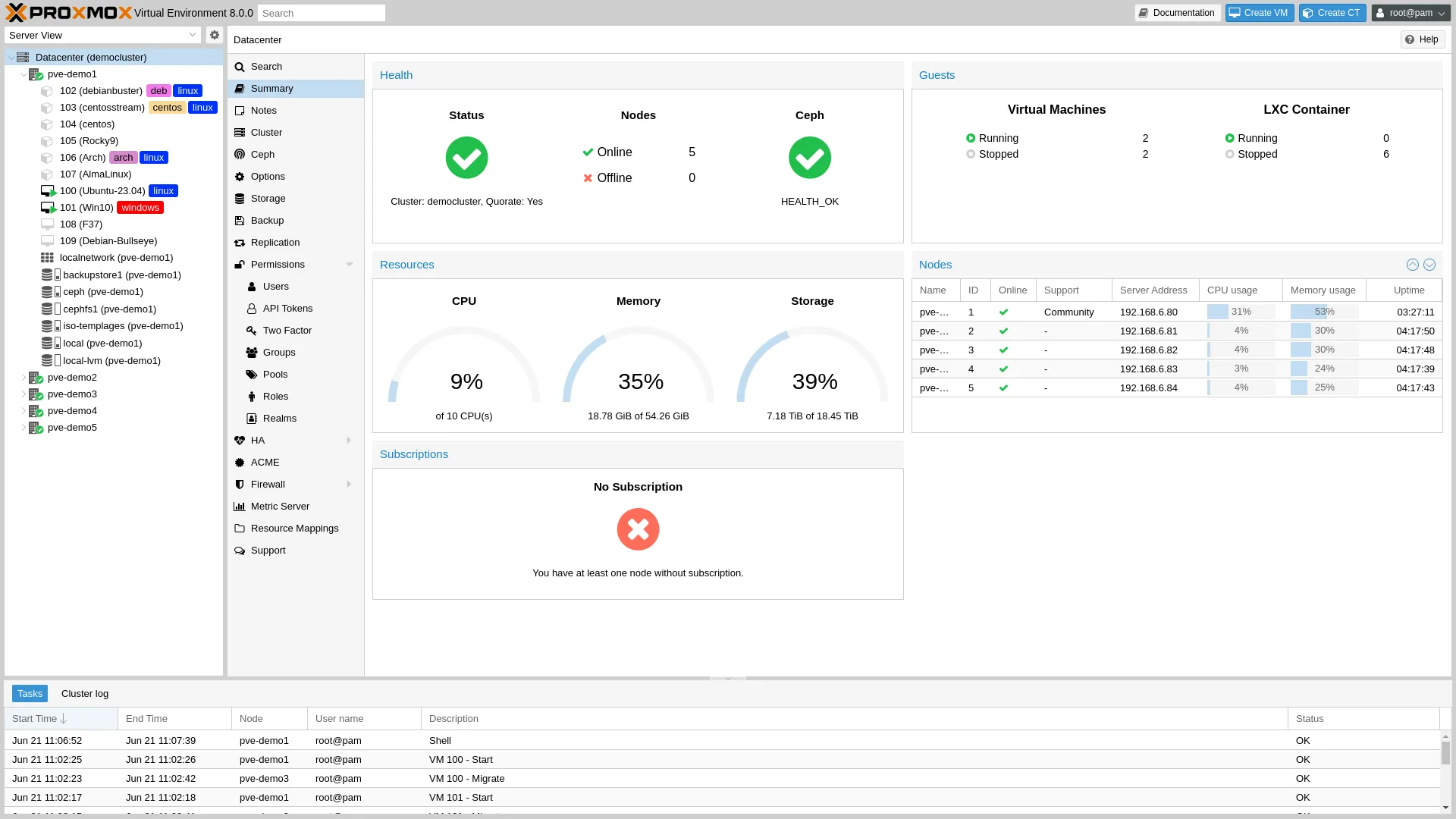
The homelab runs on two small servers, both on Proxmox, standalone (not clustered). The primary node carries the user-facing stack — dashboard, briefing, smart-home glue, media server — each in its own unprivileged LXC container, one per concern. The dashboard runs as a Flask + HTMX app behind a systemd service, fronted by Caddy for HTTPS termination. Authelia handles single sign-on for the services that need it (forward-auth for browser sessions, OIDC for the home automation hub). Uptime Kuma watches the whole stack with health checks; ntfy pushes alerts to my phone when anything goes quiet for too long. The second node sits alongside it — also Proxmox, also standalone — exporting the bulk storage to the primary node over NFS and running Proxmox Backup Server, which pulls daily snapshots, verifies them against their checksums on a schedule, and auto-deletes anything that fails an integrity check. Keeping storage and backup verification off the services box means a disk problem on the second node can’t take the services down with it. A separate Windows mini-PC on the home network — distinct from the PC I do my work on — runs a small Flask companion server that the dashboard talks to over the LAN, with a bearer token. It exposes the things that have to happen on a physical machine: keyboard input, monitor wake, media controls.
The deploy loop is three short shell scripts. The first runs the dashboard locally on a different port, with a separate config file and a separate database, so I can iterate without touching production. The second validates the production config (right port, no DEV in the title), copies files to the right container over SSH, restarts the systemd service, and runs a health check. The third compares local files against deployed ones and offers a --fix flag that redeploys anything drifted. Secrets live outside the repo and are deployed manually after a fresh container — the deploy script refuses to touch them.
Technical highlights:
- Per-service unprivileged LXC containers so a misbehaving service can’t take the rest of the homelab down
- Caddy reverse proxy with automatic HTTPS for everything reachable on the home network
- Authelia single sign-on across the services that need a login, plus OIDC for the home automation hub
- Uptime Kuma + ntfy push alerts so my phone tells me when anything is unhealthy
- A standalone second node (not clustered) exporting bulk storage over NFS and running Proxmox Backup Server for daily, integrity-verified backups pulled from the primary node — corrupted backups are auto-deleted instead of silently kept, and a storage problem on the second node can’t take the services down
- A three-script deploy loop that validates production safety, batches file copies for speed over a multiplexed SSH connection, and detects drift between local and remote
- Cross-platform development: the dashboard repo runs the same way on Windows and Mac so I can pick up work on whichever machine I’m in front of
- A Tailscale-reachable development container, so work on the homelab can carry on from outside the house without exposing anything to the open internet
- A separate Windows mini-PC companion (distinct from the PC I develop on) running a small Flask server with bearer-token auth, so the home dashboard can drive keyboard, mouse, and media controls on that mini-PC without leaving the home network
What I wanted
I wanted a place to actually run the things I rely on, on my own network. Before I had a homelab, every project I was working on was either running on my laptop (which sleeps), running on a free tier somewhere (which breaks the week some service decides to deprecate something), or not running at all. I wanted one box at home where the dashboard I check every day, the briefing that drops at the end of the workday, and the small things I’m trying out this week could all live without me having to think about them.
How I got it
This was actually the first project I started for myself, before I was working with Claude Code. I picked out a small server, installed virtualization, learned what a container was, and stood the first few services up by hand. The systems side I had some chops for already — networking, DNS, getting a box to do what I wanted — and the manual phase taught me what the homelab needed to be in the first place. It also taught me that doing each piece by hand was slow.
Once I started using Claude Code, the same kind of work moved a lot faster. I’d decide what the homelab needed next — a deploy script that wouldn’t push broken configs, a monitoring stack with phone alerts, a single sign-on layer in front of the things that needed a login — and build it in a session or two instead of a weekend. My role shifted from “figure out this command” to “decide which part of the system needs attention next.” Most of what’s on the homelab now was built that way: the manual phase taught me the shape of the problem, and the second phase let me address it without spending a week per piece.
The pattern that emerged is local-first. Everything starts on my Windows PC where I work, running locally on a different port than production, against the same network the eventual deployed version will run on. When something is good enough to keep, it ships with one command. The deploy script handles the SSH and copy work, checks that I’m not about to overwrite production with a dev config, and verifies the result is responding before walking away. A separate script tells me when local and remote drift, with a flag that puts them back in sync.
Around that core, I added the boring parts that turn ‘a few services on a box’ into something I trust. An HTTPS layer out front so I’m typing real hostnames into my phone instead of port numbers. Single sign-on in front of anything that needs a login. Monitoring on the whole stack with push alerts to my phone if something goes quiet. Daily backups that verify themselves, so a corrupted backup is auto-deleted instead of silently kept. I wanted the storage and the backup verification off the box running the services, so what started as one server is now two — a primary one running the dashboard and the rest of the stack, a second one holding the bulk storage and running the backup checks every night. And a separate Windows mini-PC on the home network — different from the PC I work on — runs a small companion server with a token, so the dashboard can drive keyboard, mouse, and media controls on that mini-PC without leaving the network.
What it does
It hosts the things I use every day, behind one login, and tells me when one of them goes quiet. The dashboard, the briefing, the smart-home glue, a media server for things I own, and a couple of small services I’m using to learn — all reachable from the same place, all monitored. If a backup fails, my phone buzzes. If a service stops responding, my phone buzzes. If everything is fine I don’t hear from it, which is the goal.
Why it matters to me
Owning the loop is what made me actually understand what ‘reliable’ means. When I was just deploying things to free tiers somewhere, I never had to find out what bad operations feel like. Running my own homelab means I notice when a backup drifts, when a service starts answering slowly, when an alert pages me about nothing — and I have to fix it for myself. That feedback has been more useful for everything else I build than any tutorial. It also means the things I rely on actually live somewhere I control.
What I learned
The unexpected lesson was how much ‘real’ infrastructure is the deploy hygiene, not the services themselves. Anyone can stand up a simple service in an afternoon. Keeping it running through a month of real life — outages, a config that drifts because someone edited it on the box one night, a backup that quietly stops working — is a different problem entirely. The manual phase showed me what those rough edges felt like; the second phase was about building the small disciplines that smooth them over: validate the config before you push, verify the health check after you push, tell me if local and remote drift. That’s the part I would have skipped if I’d just rented a server in the cloud, and it’s the part I think about most whenever I’m building something that’s supposed to keep running.
Running my own services taught me that the boring parts — backups, monitoring, deploy hygiene — are most of what makes software trustworthy. You only really feel that when you own the operations.